
⚡
Real-Time Events
Automatic CRUD event broadcasting for all content types with role-based permissions
Real-time WebSocket connections with authentication, monitoring, and advanced features
Install the plugin:
npm install @strapi-community/plugin-ioEnable in config/plugins.js:
module.exports = {
  'io': {
    enabled: true,
    config: {
      contentTypes: ['api::article.article'],
      socket: {
        serverOptions: {
          cors: {
            origin: 'http://localhost:3000',
            methods: ['GET', 'POST']
          }
        }
      }
    }
  }
};Connect from your frontend:
import { io } from 'socket.io-client';

const socket = io('http://localhost:1337', {
  auth: {
    strategy: 'jwt',
    token: 'your-jwt-token'
  }
});

socket.on('article:create', (data) => {
  console.log('New article:', data);
});Strapi v5 Support - Built for the latest Strapi version with full compatibility
Migration Made Easy - See migration guide - most projects migrate in under 1 hour!
Admin Dashboard - Visual configuration with live monitoring widget on home page
Advanced Security - Rate limiting, IP whitelisting, enhanced authentication
Performance Optimizations - 90% reduction in DB queries, improved caching, parallel processing
Enhanced API - 7 helper functions for common tasks, improved TypeScript definitions
Better Documentation - Comprehensive guides, real-world examples, migration path
Enable any content type for real-time updates:
// Backend: config/plugins.js
contentTypes: [
  'api::article.article',
  'api::comment.comment',
  {
    uid: 'api::product.product',
    actions: ['create', 'update']
  }
]// Frontend: Automatic events
socket.on('article:create', (article) => { /* ... */ });
socket.on('article:update', (article) => { /* ... */ });
socket.on('article:delete', (article) => { /* ... */ });Permissions are automatically enforced based on user roles:
// Public users only receive events they have permission to see
// Authenticated users receive events based on their role
// API tokens work with their configured permissionsView live statistics in your admin panel:
Seven utility functions for common tasks:
// Join/leave rooms
strapi.$io.joinRoom(socketId, 'premium-users');
strapi.$io.leaveRoom(socketId, 'premium-users');

// Private messages
strapi.$io.sendPrivateMessage(socketId, 'notification', data);

// Broadcast to all except sender
strapi.$io.broadcast(socketId, 'user-joined', data);

// Namespace management
strapi.$io.emitToNamespace('admin', 'dashboard:update', stats);

// Room info
const sockets = await strapi.$io.getSocketsInRoom('chat-room');

// Disconnect
strapi.$io.disconnectSocket(socketId, 'Kicked by admin');Automatically notify readers when new articles are published
Build a chat system with rooms, private messages, and typing indicators
Update product availability, prices, and inventory in real-time
Synchronize state across multiple users editing the same document
Push live metrics, alerts, and system status to admin panels
Handle player connections, game state, and multiplayer interactions
Receive and broadcast sensor data and device status updates
The plugin includes a live statistics widget on your Strapi admin home page:
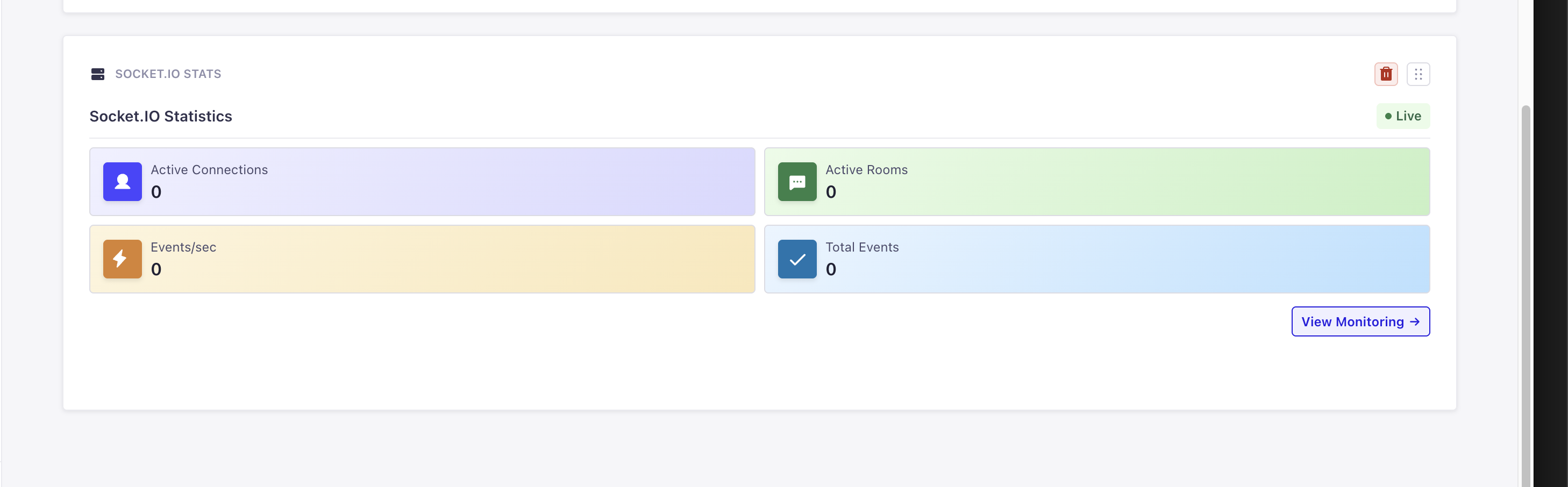
📊 Widget Features:
See it in action: Navigate to your admin home page after installing the plugin!
Configure everything visually in the admin panel:
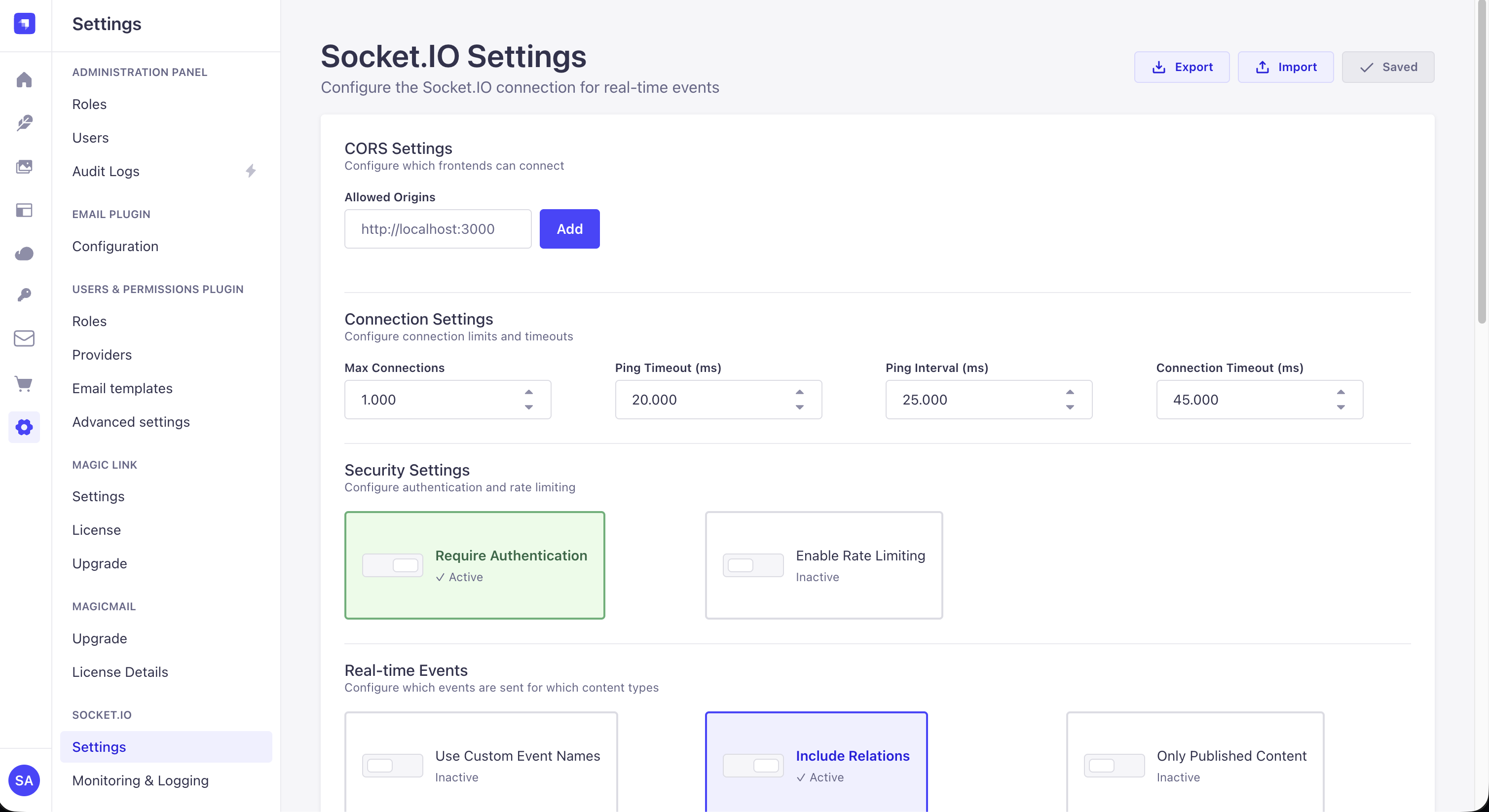
Settings → Socket.IO gives you full control over:
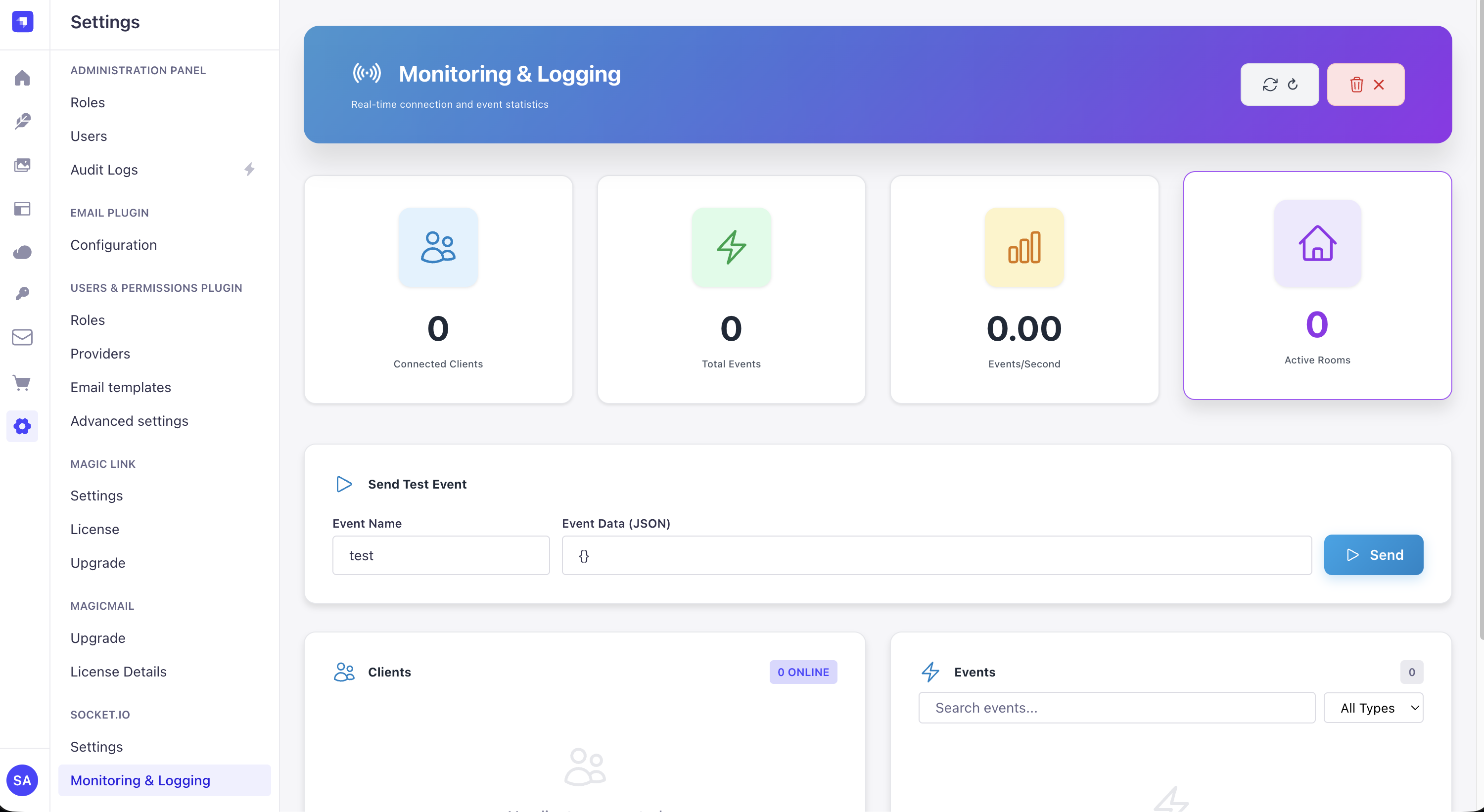
Real-time monitoring shows:
Check out other powerful Strapi v5 plugins by @Schero94 that complement Socket.IO perfectly:
Enterprise-grade multi-account email management with OAuth 2.0 support. Perfect for sending transactional emails triggered by real-time events.
Features: Gmail/Microsoft/Yahoo OAuth, SendGrid, Mailgun, smart routing, rate limiting
🔗 View on GitHub | 📦 NPM Package
Advanced session tracking and monitoring for Strapi v5. Track Socket.IO connections, monitor active users, and analyze session patterns.
Features: Real-time tracking, IP monitoring, active user dashboard, session analytics
Powerful bookmark management system with real-time sync capabilities. Share bookmarks instantly with your team using Socket.IO integration.
Features: Tag organization, team sharing, real-time sync, full REST API
MIT License - see LICENSE for details
Made with ❤️ by @ComfortablyCoding and @hrdunn
Updated and made it better by: @Schero94
Will be maintained till December 2026 🚀