
Admin panel
since 5.1.0The plugin adds a dashboard under Settings → REST Cache, a widget on the admin homepage, and purge controls inside the content manager.
Dashboard
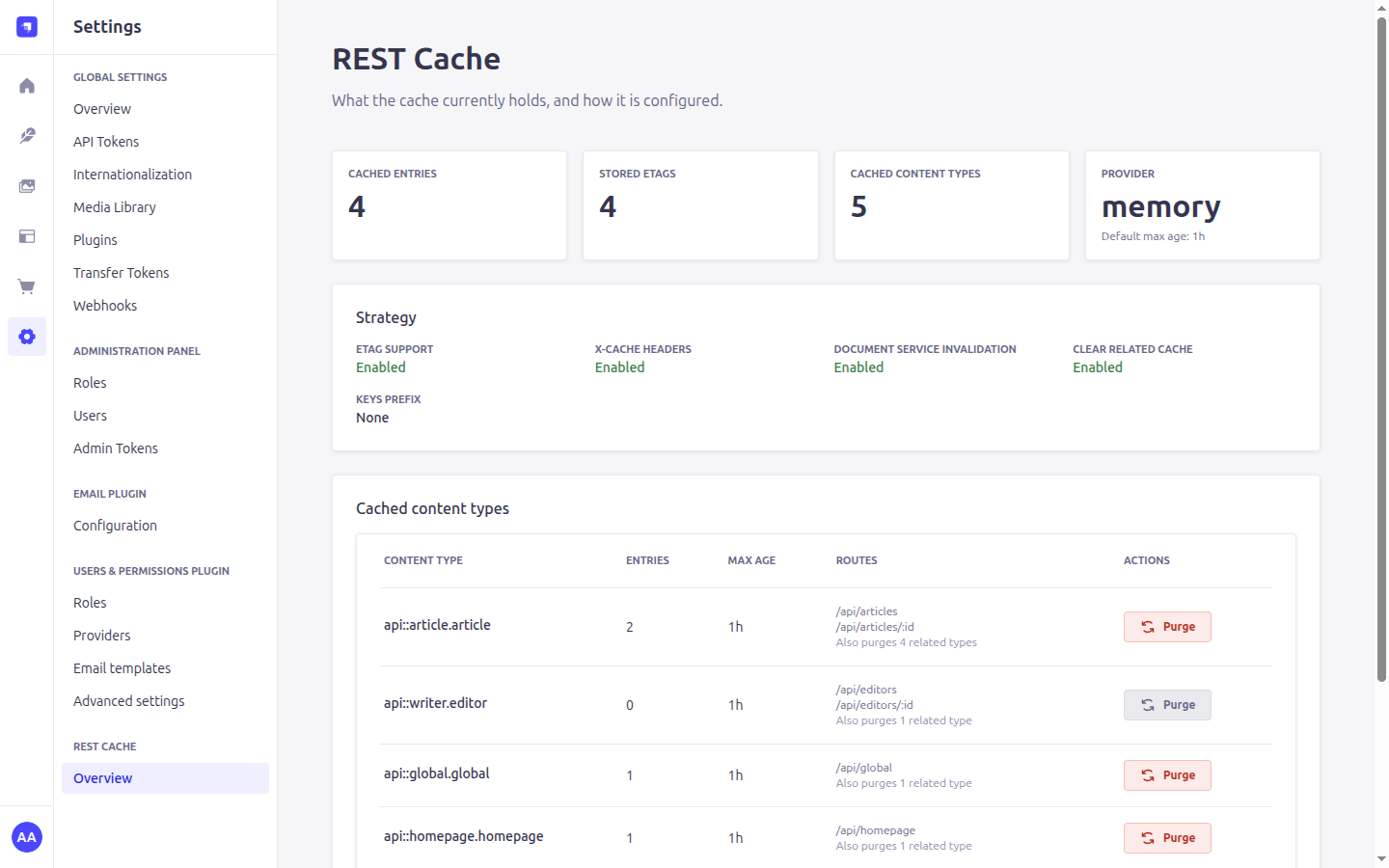
Four figures across the top:
- Cached entries — how many responses are currently stored.
- Stored ETags — companions to those entries, counted separately so they do not inflate the entry count.
- Cached content types — how many content types are configured.
- Provider — which provider is in use, and the default
maxAge.
Only the provider's name is shown, never its options. For Redis those options hold connection details, and holding the permission to read this page does not make someone an operator entitled to credentials.
Below that, the resolved strategy — the flags as the plugin actually resolved them, not as they were written, so this is the place to confirm that a setting took effect.
Cached content types
One row per configured content type, with the number of entries it currently holds, its maxAge, and the routes that were resolved for it. If a route you expected is missing here, it was not registered — that is the fastest way to spot a path that does not match what Strapi mounted.
A row may carry a badge:
- Keyed per caller —
keys.useAuthis on, so entries are stored separately per authenticated caller. - Shared across callers —
hitpassis off butkeys.useAuthis not set, so one caller's response can be served to another. The server also warns about this at boot; the badge is here because nobody reads boot logs.
The Purge button clears every entry for that content type, and for the content types related to it when clearRelatedCache is on. The counts update without a page reload.
Permissions
The dashboard requires plugin::rest-cache.cache.read-strategy, and purging requires plugin::rest-cache.cache.purge. Grant them under Settings → Roles.
Hiding a control is presentation, not protection: every admin route carries a permission policy for the same action, so the server refuses regardless of what the panel renders.
Homepage widget
A compact view of the same figures, with a link through to the dashboard. It shares its data with the dashboard, so opening one after the other does not refetch, and a purge from either updates both.
Content manager
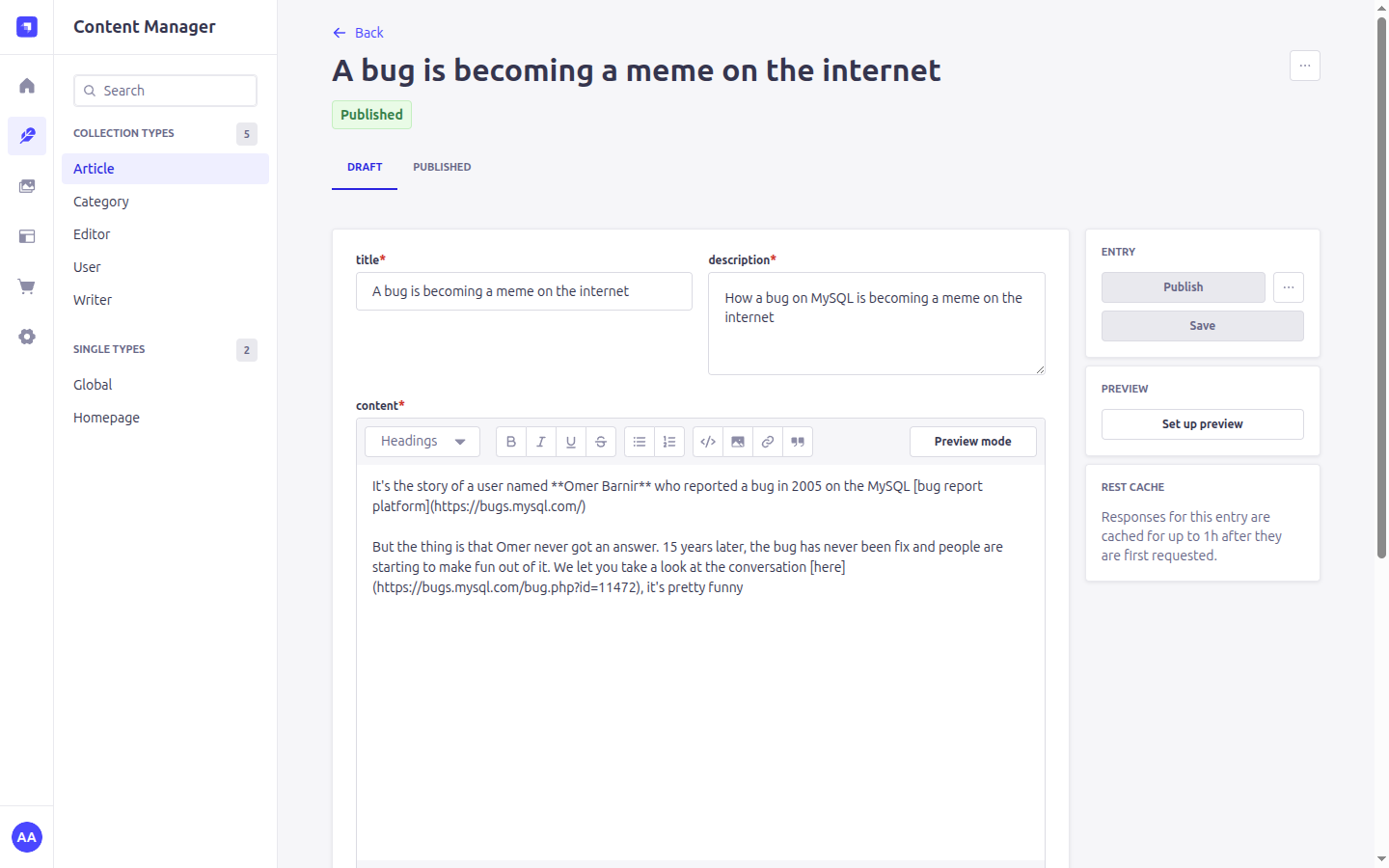
Opening an entry of a cached content type shows a REST Cache panel saying how long its responses are cached for. That is the number someone needs when they have just published a change and are looking at stale output: it answers whether to wait or to purge.
The entry's More actions menu gains Purge REST Cache, which clears the cached responses for that entry. The list view has an equivalent control that purges the whole content type.
These appear only for content types that are actually in the configured strategy, so their presence is itself a signal that caching applies.
You rarely need these
Invalidation is automatic. Every write through the document service — REST, GraphQL, the content manager, Content Releases, or a custom strapi.documents() call — purges what it affects. The manual controls are for the cases automation cannot see, such as content changed directly in the database.
See Invalidation.